Author: Jane Emma

  • Why Google Search Data Suddenly Dropped in October 2025

    Why Google Search Data Suddenly Dropped in October 2025

    It’s Not a Traffic Crash.

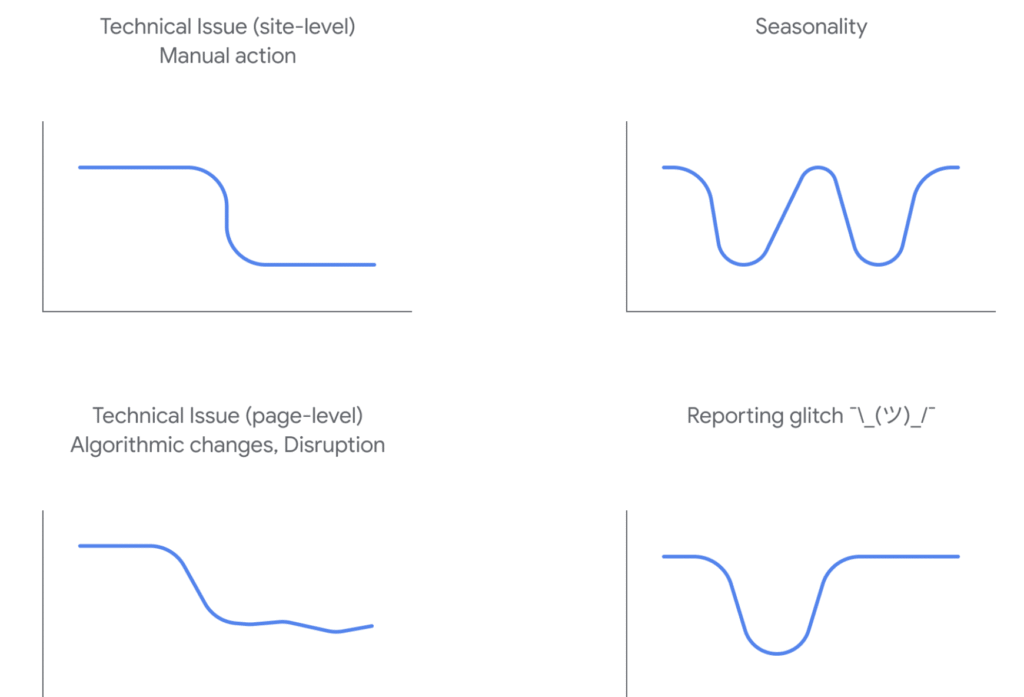
    Many site owners noticed a sharp drop in impressions in Google Search Console starting in October 2025. While it looked like traffic had fallen, the change is actually the result of an update in how Google reports data, along with a few recent algorithm changes.


    Changes in Search Console Reporting
    In late September 2025, Google updated how impressions are counted in Search Console. The change involved removing the &num=100 parameter, which previously allowed users and SEO tools to view up to 100 results per page.

    Because of this adjustment, impressions are now recorded differently. The result is a visible decline in numbers beginning in October — not because visibility dropped, but because impressions are being counted more accurately.

    This update also helped clean up the data by filtering out non-human traffic, such as bots and scrapers. In short, the numbers you see now better represent real user activity.


    What to Focus on Instead

    Impressions might look lower, but that doesn’t mean performance has suffered. Metrics like clicks and click-through rate (CTR) weren’t affected by the change. These figures still reflect genuine user interactions and are a more reliable way to measure search performance.


    Algorithm Updates That Played a Role

    In addition to the reporting change, a few recent algorithm updates have influenced how sites are performing in search.

    August 2025 Spam Update

    This update finished rolling out in late September and targeted low-quality or manipulative content. Sites relying on thin content, spammy tactics, or keyword stuffing often saw a drop in rankings and traffic.

    AI Overviews and Zero-Click Searches

    Google’s expansion of AI-generated overviews has changed user behavior. More searchers now find answers directly on the results page, reducing the need to click through to websites. Even if a page is cited in these overviews, it can still receive fewer visits.


    Other Contributing Factors

    While the reporting change is the main cause, several other factors can influence fluctuations in search data:

    • Competition: A competitor’s improved content or SEO strategy can push your rankings down.
    • Seasonal patterns: Normal shifts in search interest throughout the year can cause dips in traffic.
    • Technical issues: Problems like slow site speed, downtime, or indexing errors can reduce visibility.

    Final Takeaway

    The drop in Google Search Console impressions seen in October 2025 isn’t a true loss of traffic. It’s the result of Google refining how it reports data and the impact of ongoing algorithm updates.

    Focus on the metrics that matter — clicks, CTR, and engagement — to get a clearer view of how your site is really performing.
  • How to Add a Sticky Header in the WordPress Block Editor (No Code Method)

    A sticky header is a simple yet effective way to keep your site navigation visible as visitors scroll down the page. The good news? You can create one directly in the WordPress Block Editor without touching any code. Here’s how to do it.

    Step 1: Group Your Header Template

    First, open your site editor (Appearance → Editor) and navigate to your header template.
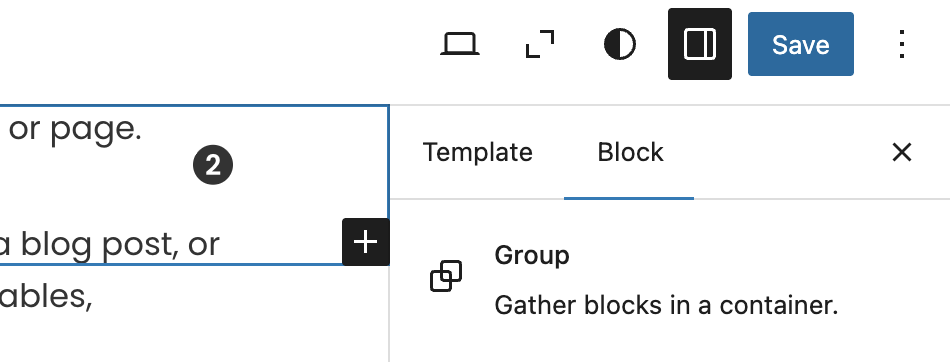
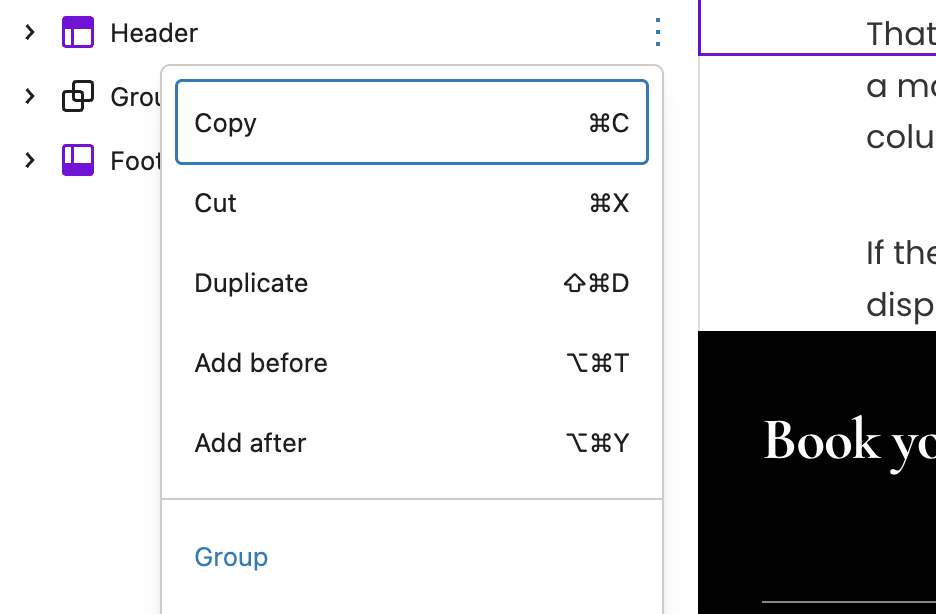
    If your header isn’t already grouped, select all the elements that make up your header — such as your site title, logo, and navigation block — then click the “Group” option from the block toolbar. This will wrap everything into a single Group block, making it easier to manage layout and positioning.

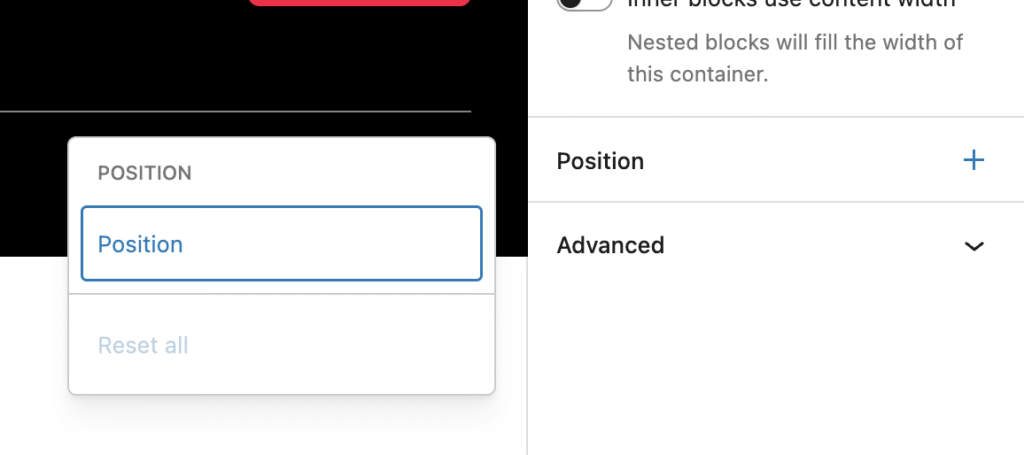
    Step 2: Set the Group Position to Sticky

    With the Group block selected, open the Block Settings panel on the right-hand side.
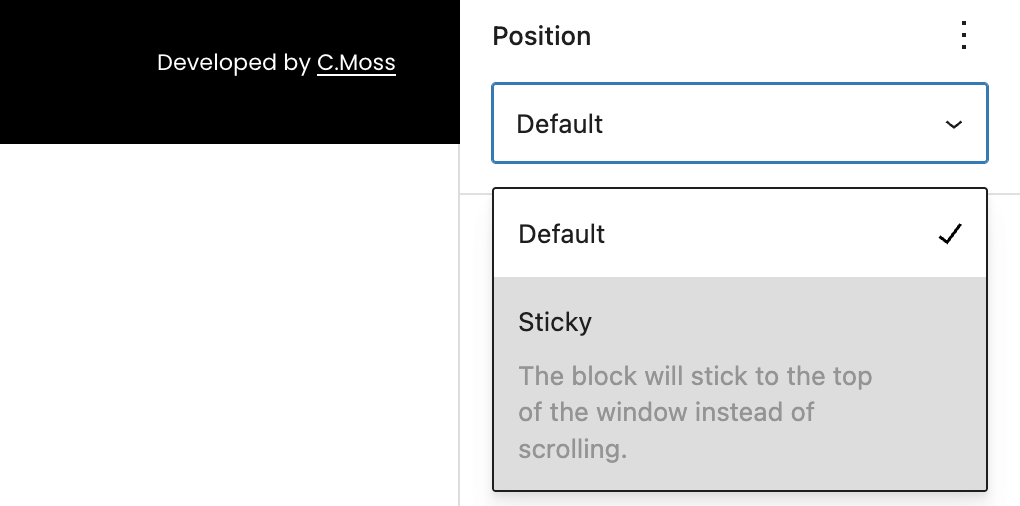
    Under the “Position” section, you’ll find an option called Position. Choose Sticky from the dropdown menu.

    By default, the sticky positioning will apply to the top of the page, but you can also specify whether it should stick to the top, bottom, or another position using additional settings or custom CSS if needed.

    Step 3: Adjust the Z-Index and Spacing (Optional)

    To make sure your sticky header stays visible above other content, you might want to adjust its Z-index.
    In the Advanced settings, look for the Z-index field and set it to something like 10. This ensures it stays layered above your page content.

    Also, check your padding and margins so your header doesn’t overlap the page content when scrolling.

    Step 4: Save and Test

    Click Save in the top right corner and preview your site. Scroll down to confirm that your header remains visible as you move down the page.

    If it’s not behaving as expected, make sure:

    • The header group is at the top level of your template (not nested inside another group with overflow hidden).
    • The sticky option is applied to the correct block.
    • You’ve cleared your browser cache to see the latest changes.

    That’s It!

    With these simple steps, you’ve added a sticky header using only the WordPress Block Editor — no custom CSS or plugins required. This approach keeps your design clean, fast, and easy to manage right inside the Site Editor.

    You can contact us for similar major WordPress adjustments.

  • Free reCAPTCHA Alternatives for eCommerce & SaaS

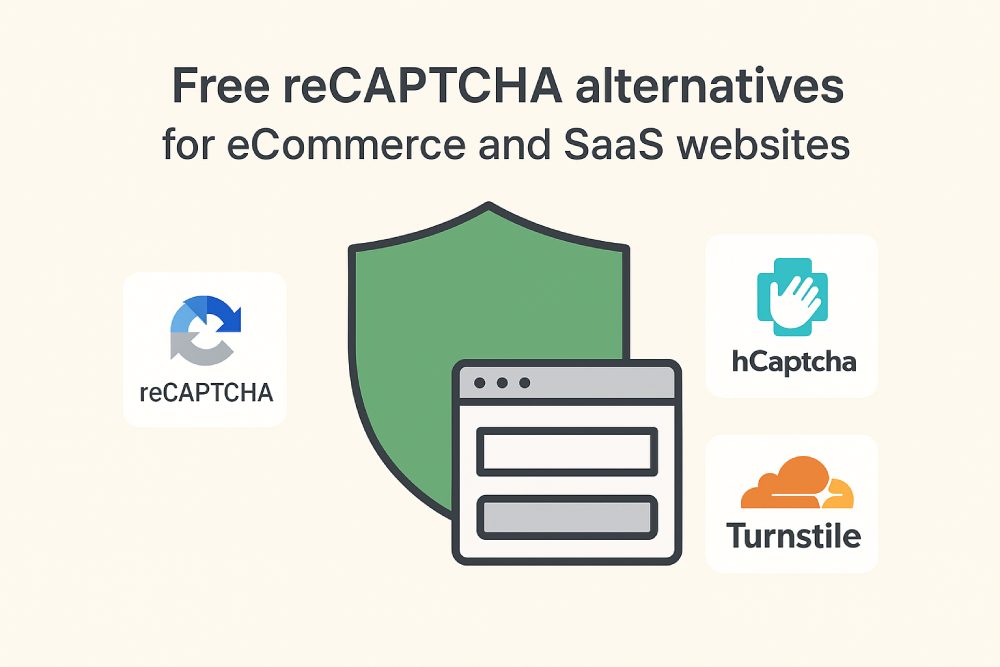
    Free reCAPTCHA Alternatives for eCommerce & SaaS

    If you run an eCommerce store or SaaS business, you know how important it is to protect your forms from spam and bots. However, many site owners are surprised to find out that Google reCAPTCHA is no longer truly free for medium or high-traffic websites.

    By the end of 2025, Google requires all reCAPTCHA keys to be migrated into Google Cloud projects. The pricing model is based on usage:

    • Free tier → Up to 10,000 requests per month
    • Standard tier → $8 per month for up to 100,000 requests
    • Enterprise → $1 per 1,000 requests above 100,000

    This means smaller websites stay free, but eCommerce and SaaS platforms with steady traffic will quickly cross the free threshold. For many businesses, this creates unnecessary costs. That’s why you should consider free reCAPTCHA alternatives that scale better.

    WordPress Users Click here


    Why CAPTCHA Matters for Online Stores and SaaS

    Adding a CAPTCHA to your website is not just about blocking spam. It also helps you:

    • Prevent fake signups that clog your CRM or email list
    • Block spam orders that damage analytics and checkout data
    • Stop brute-force attacks on login and payment pages
    • Build trust by showing users your site is secure

    Without CAPTCHA protection, bots can overwhelm your site. Cleaning up that damage is always more expensive than preventing it.


    The Problem with Google reCAPTCHA

    Although Google reCAPTCHA is widely used, it comes with clear drawbacks for growing sites:

    • The free tier is too small for medium traffic websites
    • It creates friction for users, who dislike solving puzzles
    • It raises privacy concerns, since data is shared with Google

    For medium-sized eCommerce and SaaS businesses, this quickly turns into a problem. The good news is that there are free reCAPTCHA alternatives that offer better scalability.


    The Best Free reCAPTCHA Alternatives

    1. Cloudflare Turnstile (Best for Any Size)

    Cloudflare Turnstile is completely free, with no hidden tiers or limits. It provides a lightweight and user-friendly experience, often invisible to real users. It is also privacy-first and does not track users for advertising.

    This makes it perfect for eCommerce and SaaS sites with high visitor counts.


    2. hCaptcha (Free + Monetization Option)

    hCaptcha works as a drop-in replacement for reCAPTCHA, using a very similar API. It has a free plan that scales well and even allows websites to earn small revenue from solved CAPTCHAs.

    For medium websites, hCaptcha offers a balance of cost savings and reliability.


    3. Friendly Captcha (Best for Privacy and GDPR Compliance)

    Friendly Captcha is designed for privacy-first businesses, especially in Europe. It uses cryptographic puzzles instead of images and is fully GDPR compliant.

    It has a generous free tier and paid plans for very large sites. For businesses that prioritize compliance, this is the best free reCAPTCHA alternative.


    If your website runs on WordPress and uses Contact Form 7, you can make integration even easier by installing the Contact Form 7 Captcha plugin.

    This plugin supports:

    • Google reCAPTCHA v2
    • hCaptcha
    • Cloudflare Turnstile

    How It Works

    1. Install the plugin from WordPress.
    2. Generate a Site Key and Secret Key from your chosen CAPTCHA provider.
    3. Add the shortcode above your form’s submit button.

    Examples:

    • [cf7sr-recaptcha] → Google reCAPTCHA v2
    • [cf7sr-hcaptcha] → hCaptcha
    • [cf7sr-turnstile] → Cloudflare Turnstile

    You can also adjust the size, theme (light or dark), and even the language. This makes it easy to switch away from reCAPTCHA without rewriting your forms.


    Which Free reCAPTCHA Alternative Should You Choose?

    Here’s a quick guide to help you decide:

    • Small sites (under 10k requests per month): Google reCAPTCHA v2 is still fine.
    • Medium-to-large eCommerce and SaaS: Cloudflare Turnstile is the best free solution.
    • Sites that want monetization: hCaptcha is a solid choice.
    • Privacy-first or GDPR-heavy businesses: Friendly Captcha is the most compliant.
    • WordPress Contact Form 7 users: Use the Contact Form 7 Captcha plugin to switch easily.

    Final Thoughts

    If your site is growing, Google reCAPTCHA will eventually cost you money. Instead of waiting for billing to start, now is the time to set up a free reCAPTCHA alternative that scales with your business.

    • Cloudflare Turnstile is the top pick for most eCommerce and SaaS sites.
    • hCaptcha is a strong free option that can even generate revenue.
    • Friendly Captcha is the right choice for privacy-focused businesses.
    • WordPress users should use the Contact Form 7 Captcha plugin for fast and flexible integration.

    You don’t need to pay Google to keep your forms secure. Choose the right free reCAPTCHA alternative today and protect your site at scale. Or you can connect with us to worry all these things by clicking here.

  • Google reCAPTCHA Pricing Increase: What’s Changing in 2025?

    Google reCAPTCHA Pricing Increase: What’s Changing in 2025?

    If you’re using Google reCAPTCHA on your site, brace yourself: a reCAPTCHA pricing increase is coming in 2025. Many users have already noticed the shift in their billing, and this could have major implications—especially for enterprise-scale traffic.

    Why the Price Hike?

    The increase reflects higher operational costs, AI improvements, and enhanced abuse protection. But it also nudges developers toward enterprise tiers, which offer premium SLA, support, and better risk scores—but at a premium cost.

    How Much More Will You Pay?

    While Google hasn’t publicly listed the exact pricing increases, reports from enterprise users suggest:

    • Up to 25–40% higher than previous plans
    • Free tier users facing tighter limits
    • Custom quotes becoming more common

    Should You Switch to Alternatives?

    For budget-conscious teams, reCAPTCHA alternatives like hCaptcha, Friendly Captcha, and Cloudflare Turnstile are becoming increasingly attractive.

    Final Thoughts

    If you’re affected by the reCAPTCHA price increase, take action:

    • Audit your usage
    • Evaluate need for enterprise features
    • Test out free or lower-cost competitors

    Don’t wait until your next invoice surprises you—adapt early and smartly.

  • reCAPTCHA Enterprise Pricing 2025: What You Should Know

    reCAPTCHA Enterprise Pricing 2025: What You Should Know

    As businesses increasingly rely on Google’s reCAPTCHA to protect digital assets from spam and abuse, understanding the evolving pricing structure is crucial. Heading into 2025, Google has adjusted its reCAPTCHA enterprise pricing, and many teams are reassessing their budgets and alternatives.

    Key Changes in 2025 Pricing

    Google has made pricing more usage-based and tiered. While exact rates depend on traffic volume and enterprise agreements, here’s a general breakdown:

    • Increased costs for high-volume sites.
    • Custom plans for large-scale enterprises.
    • Tighter enforcement of usage limits under the free tier.

    These shifts have prompted businesses to explore reCAPTCHA alternatives or upgrade to ensure continued protection.

    Is reCAPTCHA Still Free?

    Yes, reCAPTCHA free is available but limited. Google offers v2 and v3 versions under a free quota, typically for smaller websites or developers. However, high-traffic sites will likely exceed this limit and face charges.

    What You Can Do

    1. Review your usage data via Google Cloud Console.
    2. Compare enterprise vs. alternative options.
    3. Optimize challenge frequency to stay under limits.

    Understanding the full scope of reCAPTCHA pricing changes will help ensure cost-efficiency and security throughout 2025.

  • Why Most People Don’t Execute and How You Can Win by Doing It

    Why Most People Don’t Execute and How You Can Win by Doing It

    Introduction:

    The Problem with AI Prompts

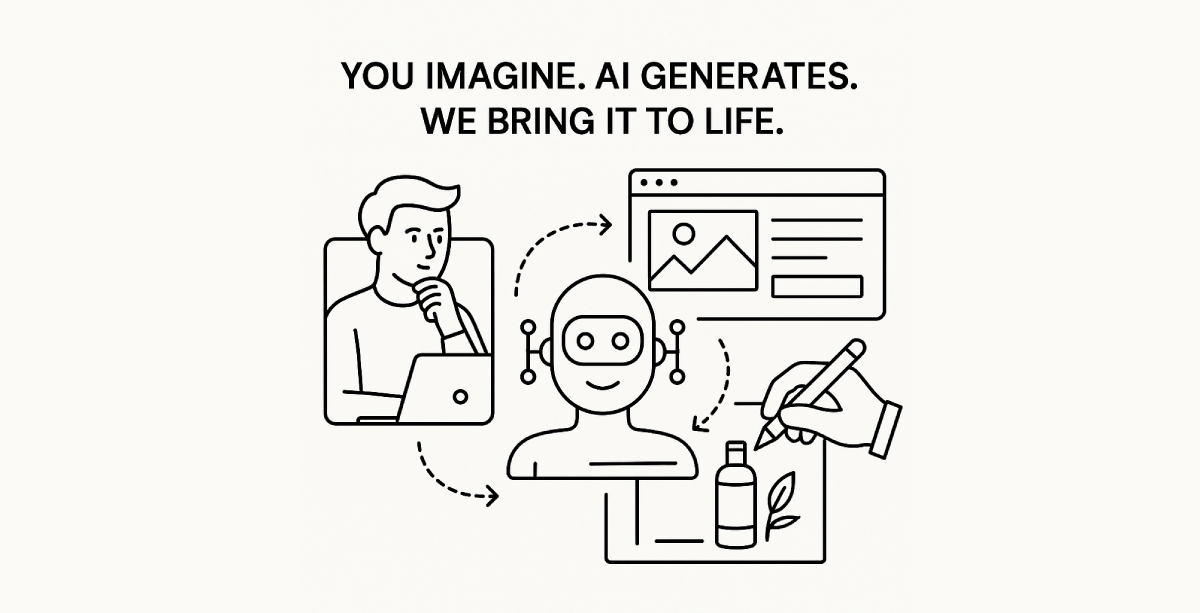
    In a world where AI tools like ChatGPT are revolutionizing creativity and ideation, something crucial is missing—execution. Every day, people prompt amazing product ideas, branding suggestions, and packaging designs… and then do nothing with them. That’s where AI product execution service come in—and that’s where I come in. But ideas without action are just unfinished stories.

    Real Story:

    The Client with the Hair Oil Brand

    Let me give you a real example.

    One day, a client approached me with an exciting idea: a new herbal hair oil brand. He said, “I already have all the design ideas—ChatGPT helped me generate everything!”

    Naturally, I asked, “Great! What do you have ready for printing?”
    He showed me a few AI-generated images that were completely unusable in the real world.

    That’s when my Prompt to Product process kicked in.
    Within minutes, I transformed his loose ideas and AI visuals into print-ready graphics that could go directly to the manufacturer. That is where AI product execution service comes in, while others are still stuck with screenshots of potential.

    The Reality:

    Most People Stop at the Idea Phase

    You might relate to this…

    • You generate product names with ChatGPT
    • You brainstorm packaging styles with Midjourney
    • You get excited…
    • But then get stuck
    • No files, no vector graphics, no printing specs, no product

    This is the execution gap—where 90% of people stop.
    But the winners are the 10% who take it further.

    My Service:

    Prompt to Product Execution

    Here’s how my Prompt to Product Execution Service helps people like you:

    PhaseWhat You HaveWhat I Deliver
    IdeaAI-generated prompts, imagesMarket-ready graphics
    PackagingConcepts from Midjourney/ChatGPTPrint-ready labels, dielines
    BrandingLogo references or rough textReal vector logo, brand board
    No PlanConfused on next stepsClear action plan & delivery

    You don’t need to know Photoshop, Illustrator, printing techniques, or design systems—I take your prompts and turn them into real-world assets you can use.

    Why This Matters in 2025 and Beyond

    The creator economy is booming.
    AI is making ideation easier than ever.
    But execution is more valuable than ever.

    If you don’t take your AI ideas to the finish line, someone else will.
    Your idea isn’t rare. Your execution is.

    Who Is This For?

    ✅ Entrepreneurs with product ideas
    ✅ Creators using AI tools like ChatGPT, Midjourney, DALL·E
    ✅ Designers stuck turning concepts into actual print files
    ✅ Dropshippers or brand builders who don’t know packaging design
    ✅ Anyone ready to move from “concept” to “completed”

    Don’t Be the Screenshot Collector

    Screenshots don’t build products.
    Prompting doesn’t make packaging.
    Execution does.

    If you’re sitting on a brilliant idea you prompted with ChatGPT, don’t let it rot in your Downloads folder. Connect with me help you turn it into something real.

  • You won’t lose leads in 2026 : reCaptcha for free

    You won’t lose leads in 2026 : reCaptcha for free

    👉 No more reCaptcha for free.
    👉 You’ll need a Google Cloud project just to keep using reCAPTCHA.
    👉 You’ll likely face added complexity and higher costs.

    Cloudflare Turnstile

    A Smarter, Alternative reCaptcha for free

    If you’re part of the Gen Z creator economy — managing micro-niche blogs, affiliate PBNs, or just vibing with personal projects — this news may feel overwhelming. But don’t worry. There’s a better solution that’s free (for now) and actually simpler to use:

    Meet Cloudflare Turnstile — A CAPTCHA That Doesn’t Suck

    Cloudflare Turnstile is a privacy-first, user-friendly CAPTCHA alternative that works seamlessly with WordPress plugins like Contact Form 7.

    Benefits for Users:
    • 💸 $0/month (free for up to 20 widgets)
    • 🌐 No Google Cloud setup required
    • 🧠 Smarter, less annoying CAPTCHAs
    • 🛡️ Advanced bot protection included
    • ✅ Now supported in Contact Form 7 v6.1+

    How to Install Cloudflare reCaptcha for free in WordPress

    Here’s a quick step-by-step guide (PDF attached) to help you ditch Google reCAPTCHA and move to Cloudflare Turnstile.

    🔽 Download PDF Installation Guide


    Why This Matters: Cloudflare CAPTCHA is Gen Z-Ready

    Whether you’re running:
    • 🌱 A lifestyle blog
    • 🎮 A gaming landing page
    • 🛒 A Shopify-like WordPress store
    • 🔗 A PBN for affiliate SEO

    … you’ll want to keep things simple, cheap, and effective. Cloudflare CAPTCHA gives you all three.

    Bonus Tip

    If you were using reCAPTCHA plugins (like in WordPress), many now support hCaptcha too. Here is the guide or you can contact us.

    Final Thoughts

    With Google reCAPTCHA shifting to enterprise pricing, it’s time to future-proof your site. Don’t wait until Contact Form 7 forces the upgrade.

    Switch to Cloudflare CAPTCHA or hCaptcha now — your users (and wallet) will thank you.

  • Trust but Verify:

    Trust but Verify:

    Why Your Coding Skills Still SLAP in the Age of GenAI

    Alright, fam, let’s spill the tea. Everyone’s vibing about GenAI coding tools, and some are even saying, “Is learning to code even a thing anymore?” Hold up, pause. According to a recent Chalk Radio podcast sesh with host Sarah Hansen and coding queen Ana Bell (programmer, author, AND comp-sci prof – talk about a triple threat!), the answer is a big, fat “Trust but Verify.” And honestly? It’s the only way to roll if you don’t want AI to straight-up finesse you.

    AI’s Got Drip, But It Ain’t Perfect 💧😬

    Ana Bell, who’s deep in the coding game, keeps it : Yeah, she uses Generative AI (GenAI) tools. They can be super helpful for getting started. But – and this is a big “but” – these AI sidekicks can totally fumble the bag, especially with the tricky stuff like math or complex programming logic. Even for what seems like simple tasks, AI can serve up some Ls. No cap.

    Your Brain Cells? Still the GOAT 🧠🏆

    This is where your human smarts, your actual coding knowledge, come in to clutch the win.

    • You Call the Shots: Knowing how to code means you can take what AI spits out and actually understand it. It’s a starting point, not the finished masterpiece.
    • Bug Squashing Pro: More importantly, when AI inevitably makes a whoopsie (and it will), your skills let you spot those errors, debug ’em, and fix ’em yourself. Ana Bell straight-up said it’s often easier and faster for her to fix AI’s mistakes directly than to try and re-explain it to the AI like it’s a toddler who just won’t listen. Big mood.

    Lost in Translation: AI’s Chat Game Ain’t Always Strong 🤖💬

    Think about it: trying to get AI to fix its own code by just re-prompting can be a whole vibe check fail.

    • AI’s Guessing Game: These tools are basically playing a high-stakes game of “guess the next word.” They’re probabilistic, meaning they pick what seems most likely. That doesn’t always mean it’s correct or what you actually need.
    • Error Stacking: One little misunderstanding can lead to another, and suddenly your code is a hot mess express. Trying to explain nuances to AI? Good luck, it can easily get confused.
    ai need us for verify

    Why Learning to Code is Still a Power Move 💪✨

    So, what’s the real value of grinding out those coding lessons when AI is in the chat?

    • You’re the Verifier: You’re not just blindly copy-pasting. You have the power to check AI’s work. Is it secure? Is it efficient? Does it even do what you asked? That’s on you, chief.
    • AI as Your Intern, Not Your Boss: Use GenAI to draft the basics, to beat that blank-page anxiety. Then, you step in with your expertise to refine, test, and make sure that code is actually, y’know, good.

    The Human Element: You’re Irreplaceable, Period. 🧑‍💻🔥

    Sarah and Ana were on the same wavelength here: that “verify” part? That’s the human sauce. If you just let AI cook without any checks and balances, you’re playing a risky game. You lose your self-reliance, and you’re way more likely to get led down a buggy, error-filled rabbit hole. Not the flex you want.

    The Takeaway: AI is a Tool, You’re the Artisan 🛠️

    Look, AI coding tools are pretty sick, and they’re here to stay. They can definitely speed things up and help you out. But thinking they’re a replacement for actual, solid programming knowledge? That ain’t it. A deep understanding of coding is what lets you use these AI tools effectively, catch their mistakes, and ultimately build stuff that truly slaps.

    So, keep learning, keep coding, and always remember: Trust the AI to help, but verify its work like your career depends on it… because it kinda does.

  • The Real AI Giants Behind the Curtain

    The Real AI Giants Behind the Curtain

    AI Giants OpenAI, Gemini, and Meta:

    Artificial Intelligence is now a global battleground, led by the real AI giants — OpenAI, Gemini, and Meta. These three are shaping how we write, code, create, and think.

    Most tools are just the front-end. Only a few elite players are actually building the AI brains that power the future.

    If you’re hearing names like GitHub Copilot, Perplexity, or Claude — just know they’re riding on the engines made by the true AI titans:

    👉 OpenAI
    👉 Google Gemini (DeepMind)
    👉 Meta AI (LLaMA)

    Let’s break it down — who’s really running the AI show in 2025?


    AI Giants OpenAI Gemini Meta

    🧠 1. OpenAI — The Pioneer

    What it is: The creator of ChatGPT, GPT-4, and the brand-new GPT-4o (multimodal, real-time AI).

    Why it matters:

    • Powers millions of tools and apps.
    • From writing emails to building apps — GPT is the brain behind it.
    • Trained by OpenAI, backed by Microsoft, and still at the bleeding edge.

    Flagship tools:

    • ChatGPT – AI assistant, coder, tutor, and creative partner.
    • DALL·E – Text-to-image magic.
    • Codex – The coding brain behind Copilot.
    • GPT API – Used across thousands of startups and enterprises.

    🔥 Why it’s winning:
    It’s the most versatile, most adopted, and most developer-friendly model out there.


    🌐 2. Google Gemini — The Integrator

    What it is: Built by DeepMind (Google’s elite AI lab), Gemini is Google’s direct answer to GPT — and it’s catching up fast.

    Why it matters:

    • Baked into Gmail, Docs, Search, and Android.
    • Gemini 1.5 is fast, multimodal, and real-time.
    • It’s Google — they have the data, the infrastructure, and the users.

    Flagship tools:

    • Gemini App – Like ChatGPT, but inside your Google account.
    • Workspace AI – Summarizes docs, drafts emails, and more.
    • Vertex AI – Power tools for devs via Google Cloud.

    🚀 Why it’s powerful:
    Gemini blends massive compute power with real-time internet access and productivity tools you already use.


    🧬 3. Meta AI — The Open-Source Champion

    What it is: Meta (yes, Facebook) is quietly building the most downloaded open-source AI models in the world — the LLaMA family.

    Why it matters:

    • Free, powerful models you can actually download and use.
    • The favorite of startups, researchers, and AI labs that don’t want to depend on closed APIs.
    • LLaMA 3 just launched — and it’s fast, small, and smart.

    Flagship tools:

    • LLaMA 2 & 3 – Top-tier open models competing with GPT-3.5 and more.
    • Code LLaMA – Great for devs building custom tools.
    • Hugging Face, Databricks, and others use Meta’s models under the hood.

    🌍 Why it matters:
    Meta’s making powerful AI open and accessible — and that’s a huge counter to the closed walls of GPT and Gemini.


    🏆 Real Talk: These Are the 3 Model Builders

    🧠 AI Leader🚀 Model Name🔓 Open-Source?🌟 Superpower
    OpenAIGPT-4, GPT-4o❌ NoCreativity, reasoning, universal assistant
    Google GeminiGemini 1.5❌ NoReal-time search + productivity tools
    Meta AILLaMA 2, LLaMA 3✅ YesFree & open-source foundation models

    Everyone else? They’re building on top of these guys.


    🤖 But What About GitHub Copilot or Perplexity?

    Cool tools. But let’s be clear:

    • Copilot = Built by GitHub, powered by OpenAI.
    • Perplexity = Great AI search, runs on OpenAI + Claude + Mistral.
    • Claude, Mistral, DeepSeek = Worth watching, but still rising.

    If it doesn’t train its own brain — it’s not the boss.


    ✨ Why This Matters to You

    Whether you’re:

    • A developer building the next AI-powered app,
    • A founder choosing the right model,
    • A student learning where the future is headed,

    You should know who’s behind the curtain.

    The next generation of tools — agents, copilots, workflows, assistants — will be built on these 3 giants.


    🎯 Final Take

    🔥 OpenAI: The universal brain. Leading the way.
    🌐 Gemini: The deeply embedded multitool. Fast and connected.
    🧬 Meta: The open-source force. Free the model, fuel the world.

    These aren’t just tools. They’re shaping the entire digital future. contact us for consulting.

  • Future of UX with AI, command-line and voice

    Future of UX with AI, command-line and voice

    AI is Shaping Command-Line and Voice-Based Interactions

    As artificial intelligence (AI) technologies advance at unprecedented speeds, the way we interact with computers is undergoing a major transformation. The future of UX with AI is leaning heavily toward more intuitive, natural interfaces, with command-line-like inputs and voice-based interactions leading the charge.

    From Graphical to Natural Interfaces

    For decades, the primary method of interacting with computers has been through graphical user interfaces (GUIs): icons, windows, and buttons. However, AI is breaking this mold by enabling systems to understand natural language, gestures, and even emotions. This shift reduces the need for rigid interfaces and allows users to communicate their intentions more freely and naturally.

    The Rise of “Command-Line 2.0”

    In a way, we are returning to a command-line experience — but it’s smarter and more flexible. Instead of memorizing syntax and commands, users now describe their needs in everyday language. AI interprets these instructions and acts accordingly. This evolution can be seen in AI tools like ChatGPT, Midjourney, GitHub Copilot, and more.

    Voice and Multimodal Experiences

    Voice interaction, once limited to basic commands, is becoming more sophisticated and widespread. Virtual assistants and AI models can now hold complex conversations, understand context, and respond visually or audibly. Future UX will often combine voice, text, and visual feedback for richer, more accessible user experiences.

    Personalized and Predictive UX

    One of AI’s greatest strengths is personalization. Future user experiences will not just respond to input — they will anticipate needs, suggest actions, and adapt dynamically. Sentiment analysis, behavior tracking, and machine learning models will make UX feel tailor-made for each individual user.

    What This Means for the Future

    The future of UX with AI is not just about better interfaces — it’s about redefining the entire human-computer relationship. Users will no longer need to learn how systems work; systems will learn how users work. Whether through natural language, predictive actions, or hyper-personalized environments, UX will become more seamless, accessible, and human than ever before.